01
Familiar to accounts payable
The layout follows the conventional order, so the person paying you finds the number, the total and the bank details where they expect them.
A clean freelance invoice template with From / Bill To columns, project lines, totals and bank payment details. Edit in your browser, export a free PDF.
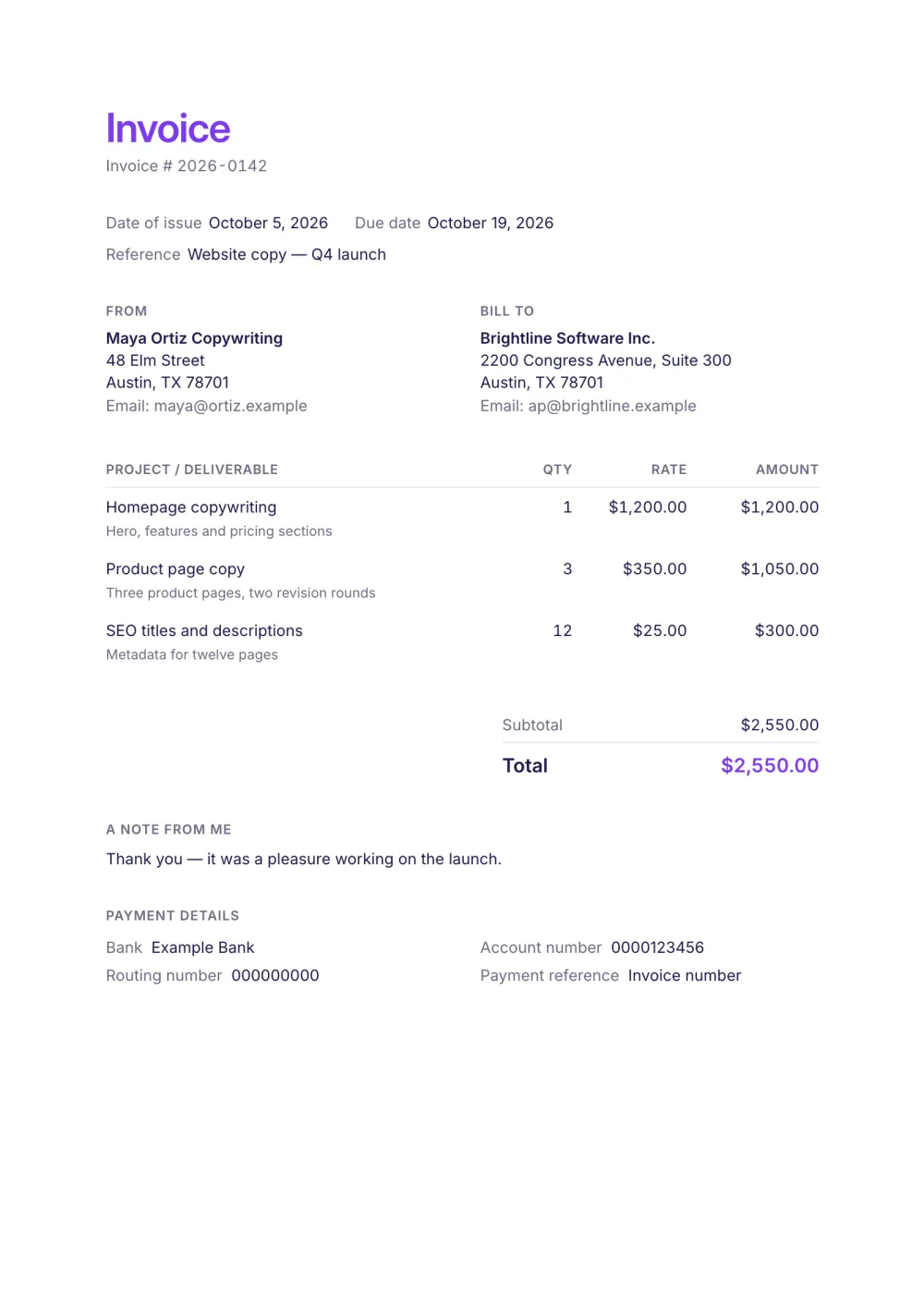
The freelance invoice template is the document most clients expect: your logo and the invoice number at the top, the dates and a project reference on one line, two columns for you and the client, one line per deliverable and your payment details under the total.
It is built on the Freelancer preset — a light layout with a purple accent, a details line under every item for scope notes and a personal note before the payment block — so it reads like it came from a person, not an accounts department.
Fictional details, real layout — this is the document the template produces. Open it in the editor to change anything, or print it to see the PDF.
| Project / deliverable | Qty | Rate | Amount |
|---|---|---|---|
| Homepage copywritingHero, features and pricing sections1 × $1,200.00 | $1,200.00 | ||
| Product page copyThree product pages, two revision rounds3 × $350.00 | $1,050.00 | ||
| SEO titles and descriptionsMetadata for twelve pages12 × $25.00 | $300.00 | ||
| Total | $2,550.00 | ||
Open the template. Click “Use this template” and the editor opens in your browser with this layout. There is nothing to install and no account to create.
Add your details and your client’s. Your name or business, address and tax ID go under From; your client’s go under Bill To.
List what you are charging for. One line per service or product, with a quantity and a rate. Amounts, tax and the total update as you type.
Check the number, dates and payment details. Every invoice needs a unique number and an issue date; add the due date and the bank details you want to be paid to.
Export the PDF and send it. Choose Export → Save as PDF, save the file from the print dialog and attach it to your email.
01
The layout follows the conventional order, so the person paying you finds the number, the total and the bank details where they expect them.
02
Each item carries a secondary details line for what was delivered, the revisions included or the dates worked.
03
Enter an upfront payment as amount paid and the invoice shows the balance still due.
Your name and contact details, the client's details, a unique invoice number, the issue and due dates, a line for each piece of work with quantity and rate, the total and how to pay. If you are registered for tax, add your tax ID and the tax amount. What to include on an invoice has the full checklist.
Either works on this template: an hourly job is a line with the hours as quantity and your hourly rate; a project is one line with quantity 1. Many freelancers combine a fixed fee with extra hours. For long lists of hours the hourly invoice template fits more lines on a page.
When the work is delivered or at the milestone you agreed — ideally the same day. Agree payment terms before you start; how to invoice as a freelancer covers deposits, retainers and late payment.
Yes. The template, the editor and the PDF export are free, with no account and no sign-up. Your invoice is saved in your browser and never uploaded.
As a PDF: fill it in online, choose Export → Save as PDF and save the file from the print dialog. It is not a Word or Excel file, so there are no formulas to break — the totals and tax are calculated for you. You can also copy a share link that reopens the invoice, or keep a JSON copy.
Yes. Switch blocks on or off, reorder them, change the accent colour, the labels, the paper size and the number and date formats — or switch to another template at any time without retyping your content.
It opens straight in Generate — start from this layout and send it today.